How to use this tool
- Face the camera at eye level in even light.
- Take a selfie or choose a clear, front-facing photo.
- Read the reasons beside the six cuts to see which ones balance your face shape.
What hairstyle suits me? How the finder decides
A haircut changes the outline people see around your face. Width at the sides makes a face read shorter; height on top and length below the chin make it read longer; a fringe changes how much forehead shows. So the useful question is not which cut is fashionable, but which way your own outline leans and which cuts lean back the other way.
The finder reads three things from the landmarks on your photo, the same three the face shape detector uses: length for width, forehead width next to the cheekbones, and jaw width next to the cheekbones. Each is compared with the middle of this test’s calibration faces. A reading counts as a lean once it is more than half the usual spread away from that middle: about 0.024 in the length ratio, 1.3 points of cheekbone width at the forehead and 0.9 points at the jaw.
Every lean asks for something. A longer face asks for width at the sides, a shorter one for height and length, a wide forehead for a fringe, a narrow jaw for fullness around it. Each of the six cuts either gives that or works against it, weighted by how strong the lean is, and the three with the most in their favour are your picks. If nothing leans, the finder says so and falls back to the most versatile cuts.
The 6 haircut directions it chooses from
These are directions rather than exact cuts, so you can take any of them to a stylist and adapt it to your hair. They are also the six looks the detailed report can try on your own photo, which is why the finder sticks to them.
- Short and neat: tidy, close sides with a little length on top. The height lengthens a short face; the close sides take width away at the jaw, so it works against a narrow jaw.
- Medium with layers: hair between the chin and the shoulders, cut in soft layers. It adds width exactly where many faces are narrowest, at the jaw, and softens a square corner.
- Long and straight: past the shoulders with a natural parting. Vertical lines draw the eye down, so it lengthens a round or square face and is the one to skip if your face already reads long.
- Soft waves: loose waves with volume at the sides. The volume adds width at cheek and jaw level, the opposite of what a round face wants and exactly what a long one does.
- With a fringe: a soft fringe that reaches the eyebrows. It covers part of the forehead, so the face reads shorter and a broad forehead reads narrower; on a narrow forehead it adds width up top.
- Swept back: hair off the forehead, neat at the sides. It shows the whole outline as it is and adds a little height, a clean choice for a shorter face and a bold one for a long face or a wide jaw.
Best haircut for my face shape
Here is what the finder picks for a face that sits exactly on each shape’s profile. Your own result can differ, because real faces lean by different amounts: two oval faces can lean toward oblong and toward round, and they should not get the same advice.
- Oval: medium with layers, long and straight and soft waves come first.
- Round: long and straight, short and neat and swept back come first; with a fringe and soft waves work the other way.
- Square: long and straight, medium with layers and short and neat come first; with a fringe and swept back work the other way.
- Oblong: medium with layers, soft waves and with a fringe come first; short and neat and swept back work the other way.
- Heart: medium with layers, soft waves and with a fringe come first; short and neat and swept back work the other way.
- Diamond: with a fringe, medium with layers and soft waves come first; short and neat and swept back work the other way.
What haircut suits me if I am between two shapes?
Most people are. Face shapes are loose categories, and plenty of faces sit near the line between oval and oblong, or round and square. That is why this finder does not start from the shape name. It starts from the three numbers, so a face that is half oval and half oblong gets advice for exactly that much length, and the shape name in your result is only a label for the outline.
If the shape you get surprises you, read the guide for it and the runner-up. The oval face shape, oblong face shape and heart shaped face pages each explain the shapes they are most often mixed up with.
What the finder cannot see
It measures one photo of your face from the front. It does not know your hair: whether it is fine or thick, straight or curly, whether it has a cowlick, or how much time you want to spend on it each morning. It cannot see your hairline, because the landmark model tracks the forehead only up to where hair usually starts, and it does not look at your ears, neck, height or style.
Those things often matter more than outline. Curly hair adds width whatever the cut; very fine hair may not hold volume at the sides; a strong cowlick can rule out a fringe. Treat the ranking as a starting point for a conversation with a stylist, not a verdict. If a cut you love is on the other-direction list, wear it anyway: it shows off your outline instead of balancing it, and that is a valid choice.
How to take the photo
Pull your hair back or tuck it behind your ears so the jaw and the sides of the forehead are visible; hair falling over them moves the outline points. Face the camera straight on, at eye level, with a relaxed mouth. The guided selfie takes three shots and averages them, which keeps the numbers steady. If you kept a test on this device in the last day, by tapping its next-test cards or its report button, the finder shows your result from those numbers without a new photo.
Trying a cut before you commit
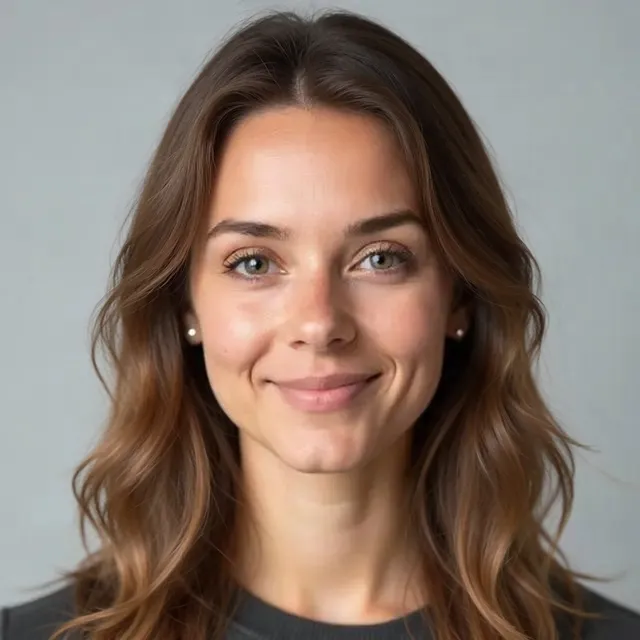
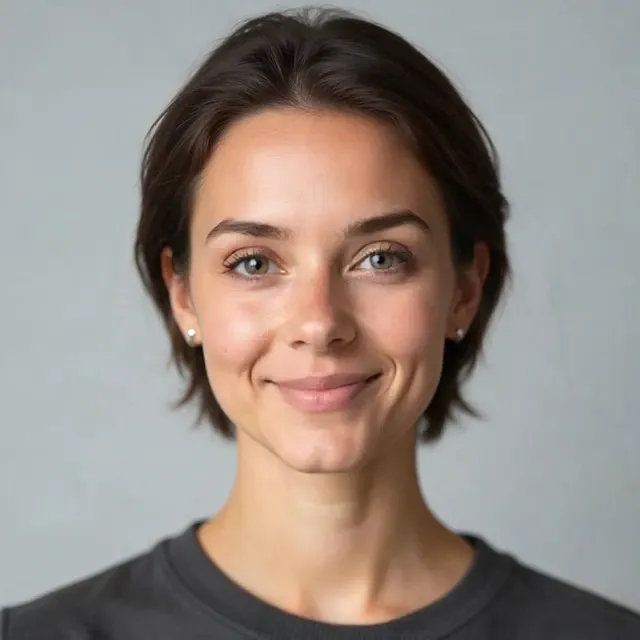
Under your result you can drag a line across a sample face to compare it before and after a hairstyle change. The pictures were made by the AI model the detailed report uses, on AI-generated sample faces, and they show the hair only; small details of the face can shift. The complete report ($15.99, one-time) makes the same pictures on a photo of you; so does the AI hairstyle changer, with your first AI image free when you sign in.